


Have you ever wanted to look the best, like no-one ever has while you catch ’em all? Pokémon Scarlet and Violet is the game for you, as you can make your trainer look more like you than ever with so much to customise. However, can you remove your bag from your character?
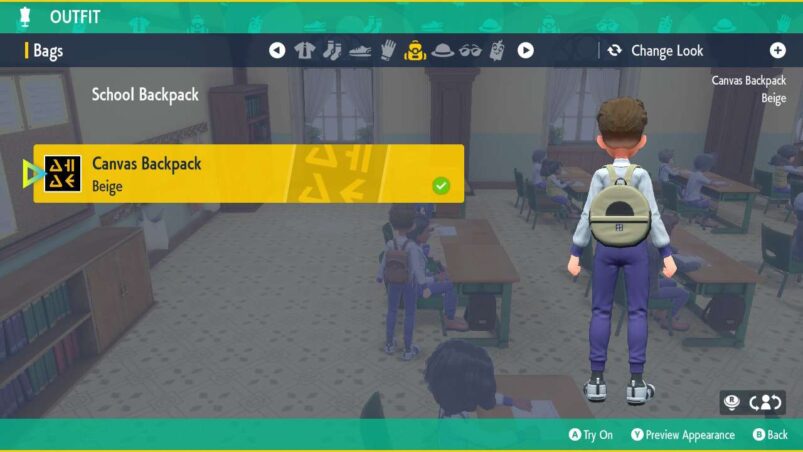
Unfortunately, you cannot take your bag off so that it’s not visible in Scarlet and Violet. This is because it’s actually not just an aesthetic choice and is where you store all your items in the game, so it makes sense that your trainer is wearing their backpack at all times. If you’re disappointed, is it any consolation to know that you can remove your hat?
If you at least want to change your bag instead of removing it, you can simply press left on the D-pad to bring up your customisation screen, then press the buttons on the D-pad until you find your backpack options. Press A on the backpack you want, then confirm your choice when you back out with B. You can find more backpacks for purchase in shops in places like Mesagoza.
In other Scarlet and Violet news, here’s how you can change your clothes to become the snazziest trainer across Paldea and also how you can swim.
Pokémon Scarlet and Violet are available now on Switch.
READ NEXT: Pokémon Scarlet & Violet: How To Play With Friends
Some of the coverage you find on Cultured Vultures contains affiliate links, which provide us with small commissions based on purchases made from visiting our site.
