
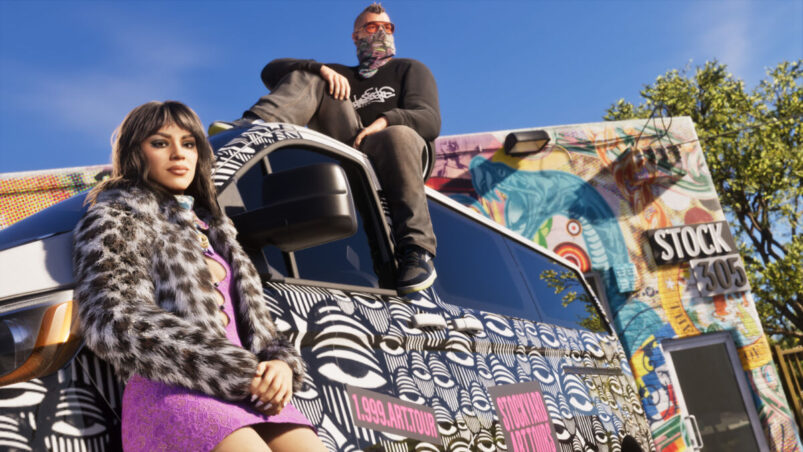
It seems that we are now finally in the midst of the aggressive marketing campaign for GTA 6 that was mentioned a few months ago, and now it’s time for a collaboration with Discord.
The GTA 6 Discord Quest rewards you for watching the game’s launch trailer inside Discord. There is no gameplay challenge to complete: open the promotion, watch the video and claim your Orbs. For once, you can actually get something for obsessively rewatching a GTA trailer.
How to Complete the GTA 6 Discord Quest
It’s an extremely easy setup.
Use Discord’s desktop app or browser version, then follow these steps:
- Open Quests. If you cannot see a shortcut, select the Discover compass icon beneath your server list, then choose Quests.
- Find Grand Theft Auto VI Quest, promoted by Rockstar Games.
- Select Watch 1m or Start Video Quest, depending on the button displayed.
- Watch the trailer inside Discord until the completion requirement is met.
- Select Claim or Claim Reward to collect your Orbs.
Keep the video window active while watching. Discord pauses Video Quests when you switch windows, although your progress is saved so you can resume afterwards. Watching the trailer separately on YouTube does not complete the task.
What Are the GTA 6 Discord Quest Rewards?
The quest offers 200 Discord Orbs, rising to 240 Orbs for eligible Nitro subscribers through Discord’s 1.2x reward multiplier. Nitro Basic and subscriptions provided through Nitro Credits do not qualify for that multiplier. You do not need Nitro to earn the standard reward.
Orbs can be spent in Discord’s Orbs Shop on eligible items, including selected cosmetics and Nitro credits. They cannot be converted into cash or transferred to another account.
The reward is Discord currency, so do not expect completing this quest to unlock a car, outfit or cash in GTA 6. You cannot use these orbs for anything outside of Discord. Which is a shame, but don’t forget that all pre-orders for the game get the Vintage Vice City Pack.
When Does the GTA 6 Discord Quest End?
The current listing gives an end date of 19 November 2026. Check the promotion terms on your quest card for the precise deadline and claim your reward as soon as you finish watching.
Why Is the Quest Missing or Not Tracking?
Try these checks:
- Use desktop or browser. Discord’s mobile Quest support is limited to selected promotions.
- Keep the trailer window active so playback can continue.
- Restart and update Discord if the progress bar stops updating.
- Check eligibility and the deadline. Some quests have regional restrictions and limited availability.
Discord also says Quest rewards currently cannot be earned on Linux, recommending Windows or macOS instead. Once the completion indicator appears, remember to press Claim Reward.
READ NEXT: GTA 6’s Free GTA+ Month: How to Redeem It (and Avoid Renewal)
Some of the coverage you find on Cultured Vultures contains affiliate links, which provide us with small commissions based on purchases made from visiting our site.