


Sons of the Forest is finally here after a long, long wait for survival fans, with the game launching into Steam Early Access. Players will dropping onto the mysterious island in their millions, but one thing that everyone on PC will likely be wondering, as it’s a first-person game, is how to change FOV.
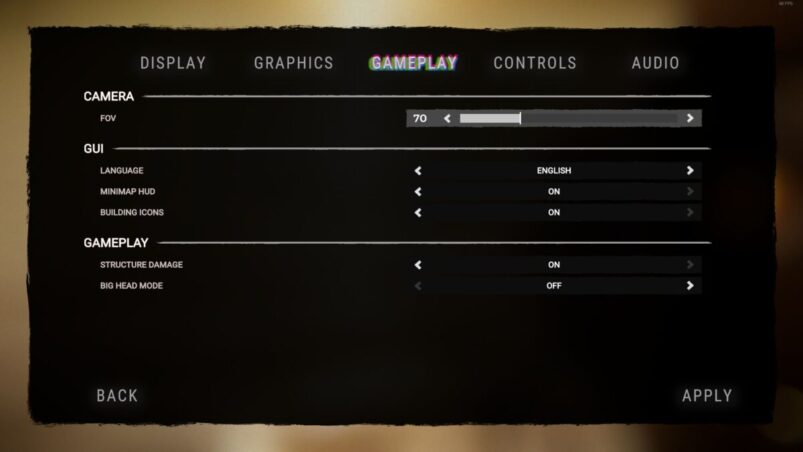
To change FOV in Sons of the Forest, players simply have to go to Options > Gameplay > Camera > FOV. The FOV options range from as low as 60 up to 95, which isn’t the broadest range in the world, but is better than what a lot of games provide.
Press apply, then sit back and take in the gruesome island in even more detail than before. Bear in mind that upping the FOV may impact your performance, so remember that if you’re running a lower spec setup.
Sons of the Forest is available on PC.
READ NEXT: 30 Best Survival Games of All Time
Some of the coverage you find on Cultured Vultures contains affiliate links, which provide us with small commissions based on purchases made from visiting our site.
