


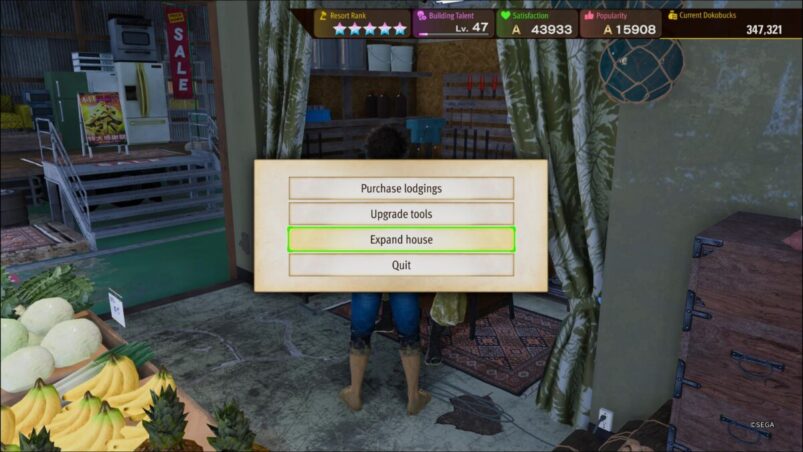
One of the best parts of any cozy game is making those big improvements and renovations to your house, though you can only start adding the really great furniture once you’ve made some extensions. Like A Dragon: Infinite Wealth’s Dondoko Island mode, the Animal Crossing-esque take on the cozy genre that forms a huge part of the overall game, also allows you to renovate your home, but you wouldn’t know that when you first boot up Dondoko Island when you unlock it in Chapter 6.
Extending your house isn’t immediately available to players when they start Dondoko Island, as you’ll need to increase your Livability rating in Kasuga’s House while you’re playing. This can be done by adding furniture and other various items inside your house, which is what you’ll need to do anyway to increase your maximum health. Despite being called “Livability” rating, you don’t need to arrange your furniture neatly or anything. In fact, the more your house looks like the home of a hoarder, the better.
Once you’ve received two additional hearts, leave your house and you’ll be approached by Kenzo, the Island’s resident carpenter/handyman, who’ll offer you the chance to extend your house in exchange for a lot of Dokobucks. Speak to him inside Matayoshi’s General Store in the center of the island, and you’ll be given the option to extend your house, which will massively increase the space inside your house, allowing you to cram even more tat in there to further increase your health. You can also choose to extend your home multiple times, adding a second floor to the building and improving the outside aesthetic, though this is really expensive. You can easily hit the maximum amount of hearts on the first extension alone, which is enough to send those pesky pirates packing.
Like A Dragon: Infinite Wealth is available on PC, PS4, PS5, Xbox One, and Xbox Series X & S.
Some of the coverage you find on Cultured Vultures contains affiliate links, which provide us with small commissions based on purchases made from visiting our site.
