


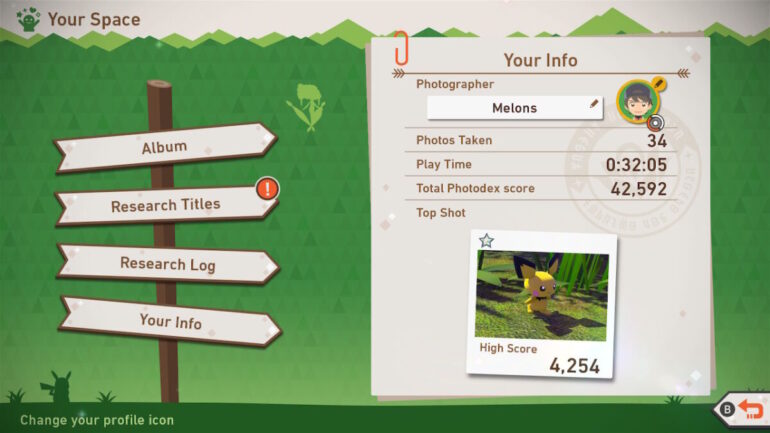
Your profile in New Pokémon Snap is the best way of showing off who you are in the game, what with there being no way of changing your actual appearance.
To change you avatar in New Pokémon Snap, you must finish your first photography session and then go to Lab > Your Space, and then select the avatar at the top right. Press A and then you will have a whole range of options to choose from.
There’s only a few actual faces, though, with a lot of the options just being seemingly random objects instead. Once you’ve found the one you want, just keep pressing A until your new avatar is set.
New Pokémon Snap is available now for the Nintendo Switch.
READ NEXT: Pokémon GO Fest 2021 – Everything You Should Know
Some of the coverage you find on Cultured Vultures contains affiliate links, which provide us with small commissions based on purchases made from visiting our site.
